1. Set up for GoDEX label printers - pre set up (As provided by Kiwi Labels)
Pre-set up notes from Noel:
These are the settings that Kiwi Labels send to the printer prior to despatching to the client.
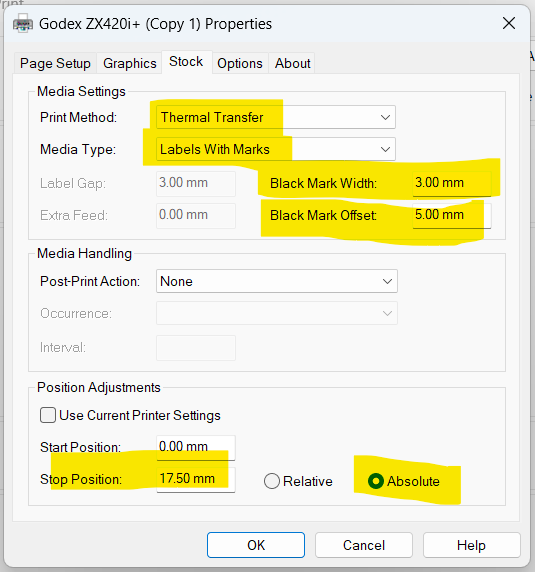
Note that these settings may need to be tweaked slightly depending on the model of the printer provided. Screen settings are shown below, giving the settings required for newer models.
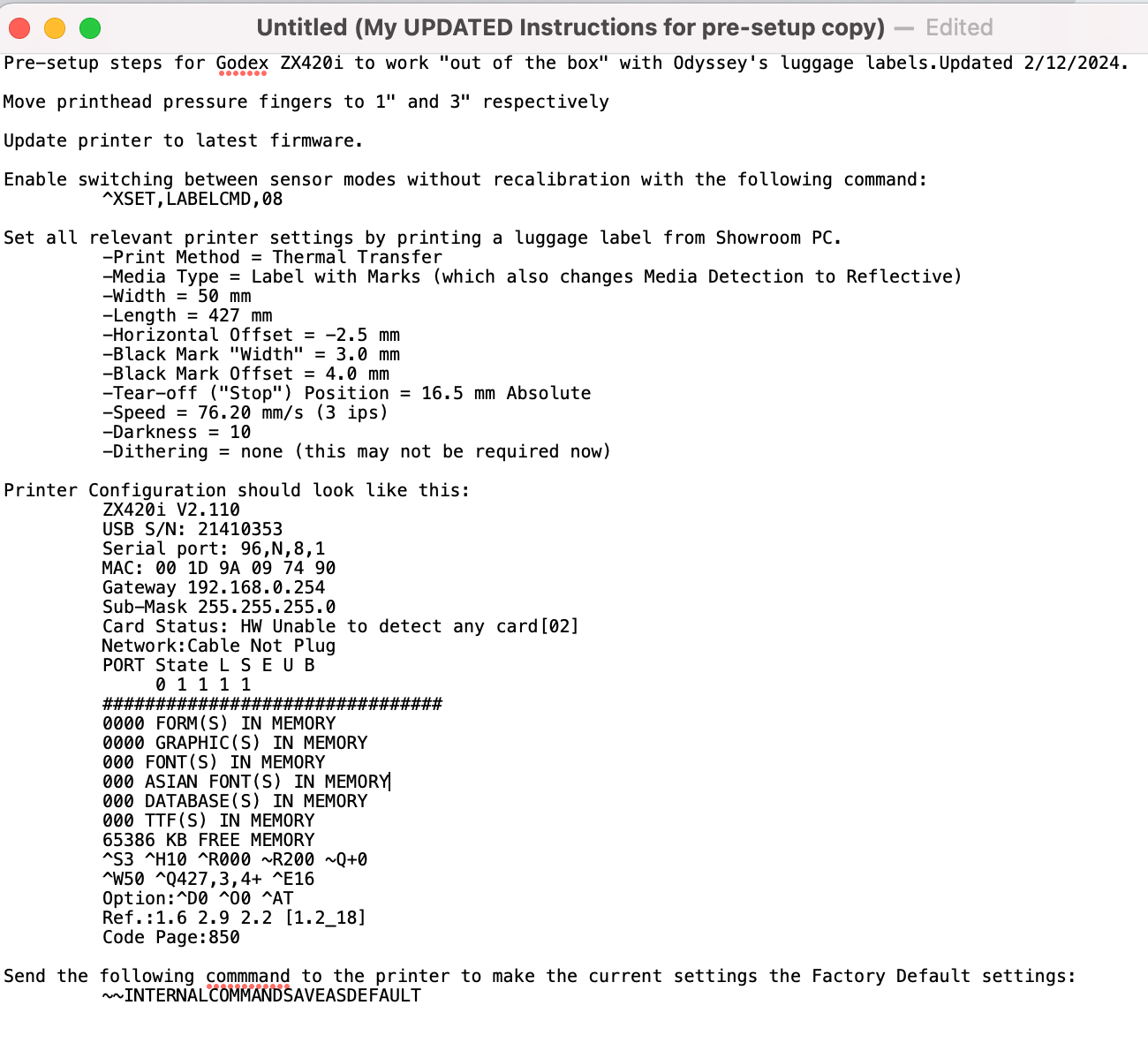
Pre-setup steps for Godex ZX420i to work "out of the box" with Odyssey's luggage labels.Updated 2/12/2024.
Move printhead pressure fingers to 1" and 3" respectively
Update printer to latest firmware.
Enable switching between sensor modes without recalibration with the following command:
^XSET,LABELCMD,08
Set all relevant printer settings by printing a luggage label from Showroom PC.
-Print Method = Thermal Transfer
-Media Type = Label with Marks (which also changes Media Detection to Reflective)
-Width = 50 mm
-Length = 427 mm
-Horizontal Offset = -2.5 mm
-Black Mark "Width" = 3.0 mm
-Black Mark Offset = 4.0 mm
-Tear-off ("Stop") Position = 16.5 mm Absolute
-Speed = 76.20 mm/s (3 ips)
-Darkness = 10
-Dithering = none (this may not be required now)
Printer Configuration should look like this:
ZX420i V2.110
USB S/N: 21410353
Serial port: 96,N,8,1
MAC: 00 1D 9A 09 74 90
Gateway 192.168.0.254
Sub-Mask 255.255.255.0
Card Status: HW Unable to detect any card[02]
Network:Cable Not Plug
PORT State L S E U B
0 1 1 1 1
################################
0000 FORM(S) IN MEMORY
0000 GRAPHIC(S) IN MEMORY
000 FONT(S) IN MEMORY
000 ASIAN FONT(S) IN MEMORY
000 DATABASE(S) IN MEMORY
000 TTF(S) IN MEMORY
65386 KB FREE MEMORY
^S3 ^H10 ^R000 ~R200 ~Q+0
^W50 ^Q427,3,4+ ^E16
Option:^D0 ^O0 ^AT
Ref.:1.6 2.9 2.2 [1.2_18]
Code Page:850
Send the following commmand to the printer to make the current settings the Factory Default settings:
~~INTERNALCOMMANDSAVEASDEFAULT
For model as at Dec 24

for new model as at 27 Feb 2026