
Importing Bookings - uploading bulk data
Importing Bookings is an Advanced Module
Bulk Imports
Not all of your bookings to import into Odyssey may come from an online booking system. Odyssey allows you to import bulk bookings that may have come from other sources, such as Agents.
In order to to do, the bookings must be entered into Odyssey's 'Import template', so supply this to your Agent/s, or alternatively you can enter the records yourselves into this sheet.
Step 1: Download the Import Template
- From the Main Menu, click on # Bookings to Import

- Click on the Download Imports Template from the bottom right corner of the window, to get a copy of the spreadsheet template. (It is necessary to use Odyssey's Templated spreadsheet for this bulk import process)

- Click the Download button
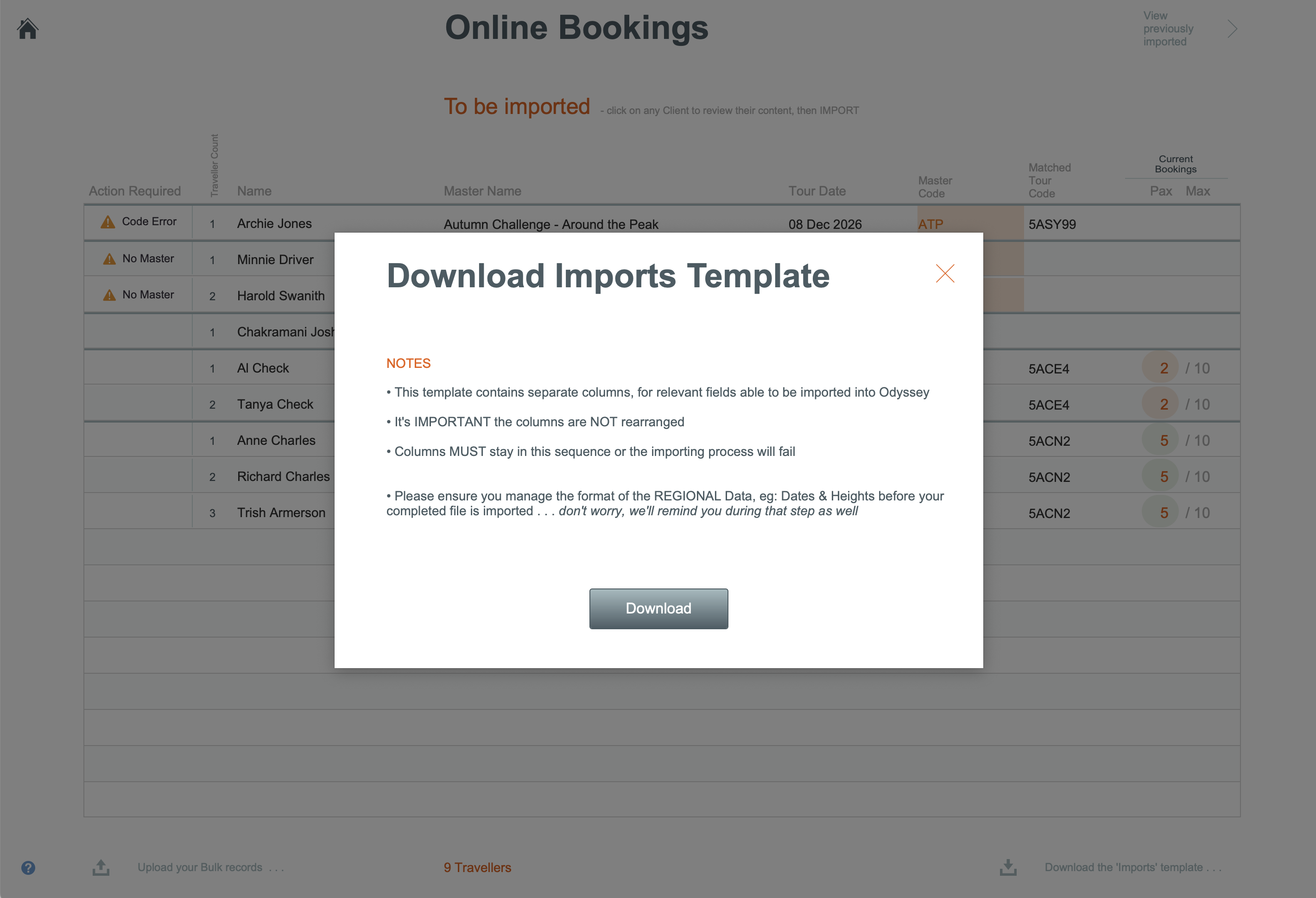
- Specify a filename to export. You can use the existing file name that has been suggested (Odyssey Import Bookings Template), or enter a file name of your own choosing, then click OK

- You will receive a message advising you that your files are ready for download. Click the large white button with the template name, to download the template. Click OK.

- The template has now been downloaded to your computer's download folder. Navigate to your downloads folder to locate the file.

The imports template looks like:

Step 2: Bulk Importing records
- Open the Imports template, as described above, and enter all the records you need to import
- When the spreadsheet is complete, save it
- Navigate to the Main Menu, and click on # Bookings to Import

- Click the button that says Upload your Bulk records

- In the next window you will be prompted to drag and drop your bulk booking spreadsheet into the box to import. Drag the file, and click Continue

- The imported bookings (highlighted below) now show in your list of online bookings to be imported into Odyssey

- From here the processing steps are all the same as the standard Import Online Booking process. Learn more here