
Sort order of Client Bookings
Here is the definitive sort order we are seeking to put everywhere on Odyssey.
As the sorting of Portals is defined individually, it is a manual task to implement this everywhere.
-
If one get's missed please advise, as it's very difficult to catch everything all the time...
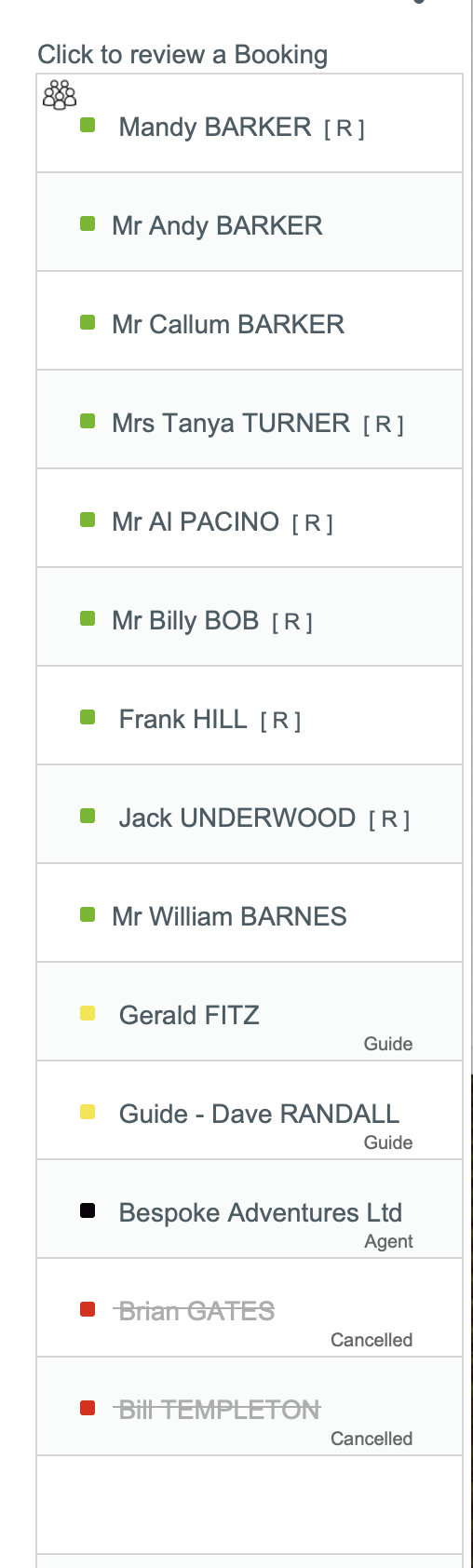
Based on ONE Organiser per Tour.
Bookings are automatically sorted in the following order:
- Booking Status — Active bookings appear first, with Cancelled bookings positioned at the bottom of their respective contact groups.
- Contact Type — Clients appear first, followed by Guides, then Agents.
- Tour Organiser and Room Sharing — The nominated Tour Organiser always appears at the top of the active Client list, immediately followed by any clients sharing the same room.
- Room / Sharing Groups — Remaining clients are grouped by their Room/Sharing Instance number, in numerical order. Clients sharing the same room appear together, with matching room colours displayed alongside one another.
- Payer Relationships — Within each Room/Sharing group, clients are further sequenced according to their Payer relationships, where applicable. This helps keep clients paid for by the same person together wherever possible, without separating room-sharing companions.
- Unassigned Rooms — Clients without a Room/Sharing assignment appear after those with assigned rooms.
- Cancelled Bookings — Cancelled Clients appear below all active Clients, before the Guide and Agent sections.
-
Important
Room/Sharing groups take priority over Payer relationships, ensuring clients sharing accommodation remain together, even when they have different Payers.
The Tour Organiser and their room-sharing companions are always prioritised at the top of the active Client list.
-
NOTE: These new field calculations have been applied in DEMO to Season 5 & 6 only at this stage.