
API Settings - Ody Shop
For Odyssey customers who use the Advanced Function of Ody shop, this is where you define the terminology you wish to use on the site, the branding colours, credit card fees, deposit requirement, currency, terms and conditions, etc.
- From the Main Menu | Admin | API Settings
- Select Ody Shop
Settings

- Choose a Hex colour for the Main colour being used in Ody shop
- and a different Hex colour for the Hover text
- Learn more about Hex colours here

- Enter the MailJet Template ID number of the email template that has been set up to send to customers when they make their booking with you via Ody Shop
- Enter the Sender/Reply Name to be used in this email communication to the client
- Learn more about MailJet templates here
- Note that Creative Technology take care of your email templates for you.
- Enter the percentage rate for the credit card fee, e.g. 2.30%
- Enter the deposit amount required, e.g. 30%
- Enter the currency, e.g. NZD
- Enter the Timezone from the drop down list, e.g. Pacific/Auckland
- Enter a link for the Terms and Conditions you wish to display
- Enter the link to Odyssey in the Re-Direct URL field
Once you have completed entering your settings, click the Push Settings to Ody Shop button
If the Odyssey client is using the Stripe payment portal
- Stripe's API settings are set from the Main Menu | Settings | Financial Settings | Banking Details tab
- Learn more about Stripe here
Terminology
Ody Shop allows you to supply the terminology that you use within your own company, for a personal fit.
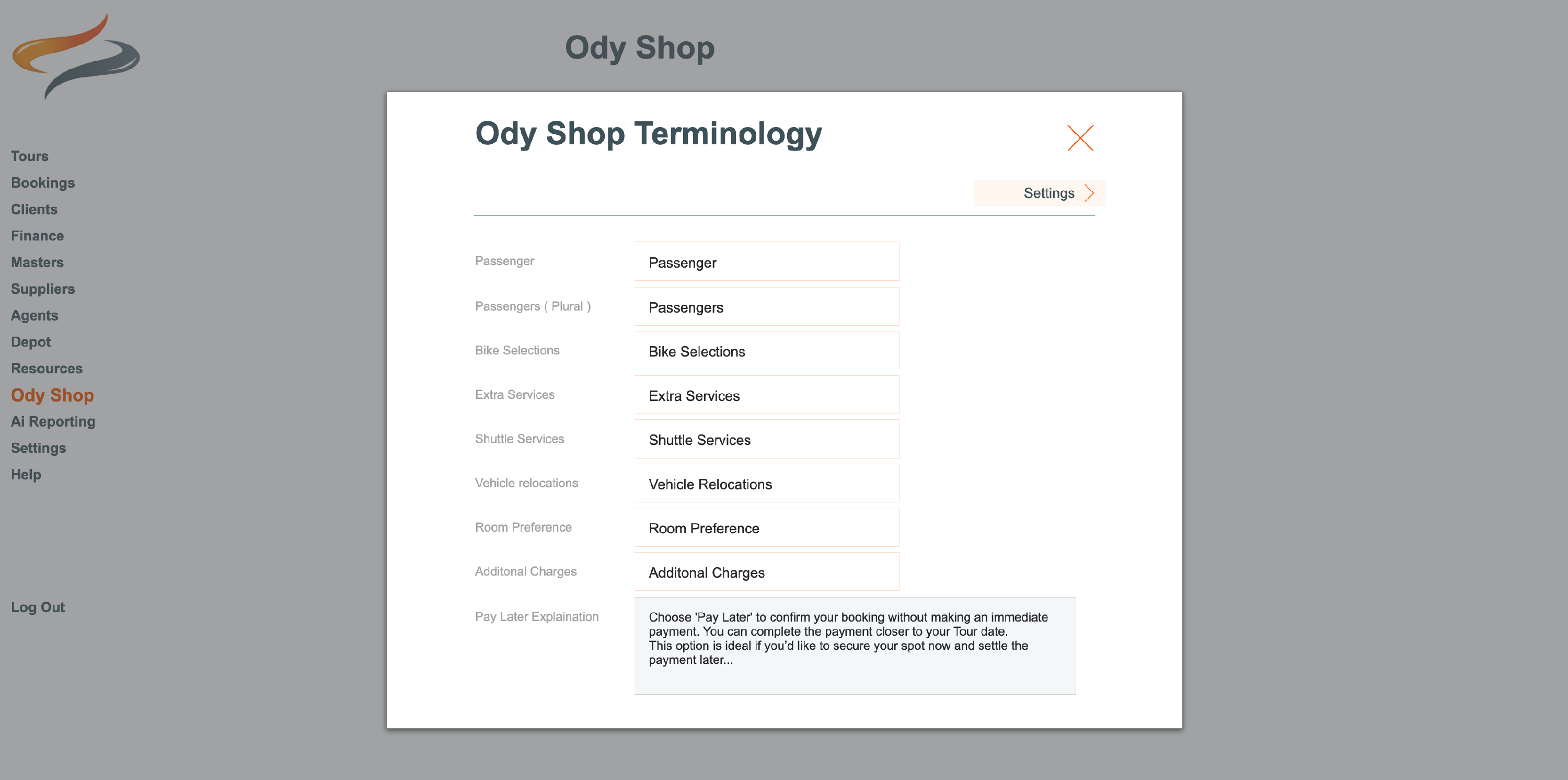
- Enter your preferred name for the following fields:
- Passenger
- Passengers (Plural)
- Bike Selections
- Extra Services
- Shuttle Services
- Vehicle Relocations
- Room Preference
- Additional Charges
- Pay Later Explanation (e.g. Choose "Pay later" to confirm your booking without making an immediate payment. You can complete the payment closer to your Tour date.)