
Booking - Custom Shuttle / Transfer
When a standard Shuttle time or date does not match the needs of a group booking, Custom Shuttles, or Custom Transfers as some call them, can be created and charged for.
Custom Shuttles provide the flexibility to meet the needs of the group booking. These are generally a private shuttle with no other 'non' group people able to book on it.
The custom shuttle will have been created at tour level, learn how here:

To add custom shuttle records for client bookings
- From the Tour | Movements | Custom Transfers | Select a Custom Transfer | Bookings tab

- Click the Quick Add + button, to quickly add another booking to the shuttle (or click the Add to all button if there are no bookings on this shuttle yet)
- Tick charge for this item if the customer is to be charged for this custom shuttle movement (a small x indicates it's not being charged to the client, a tick indicates it is. Click on the x or √ to change the setting. Hover text explains each setting)
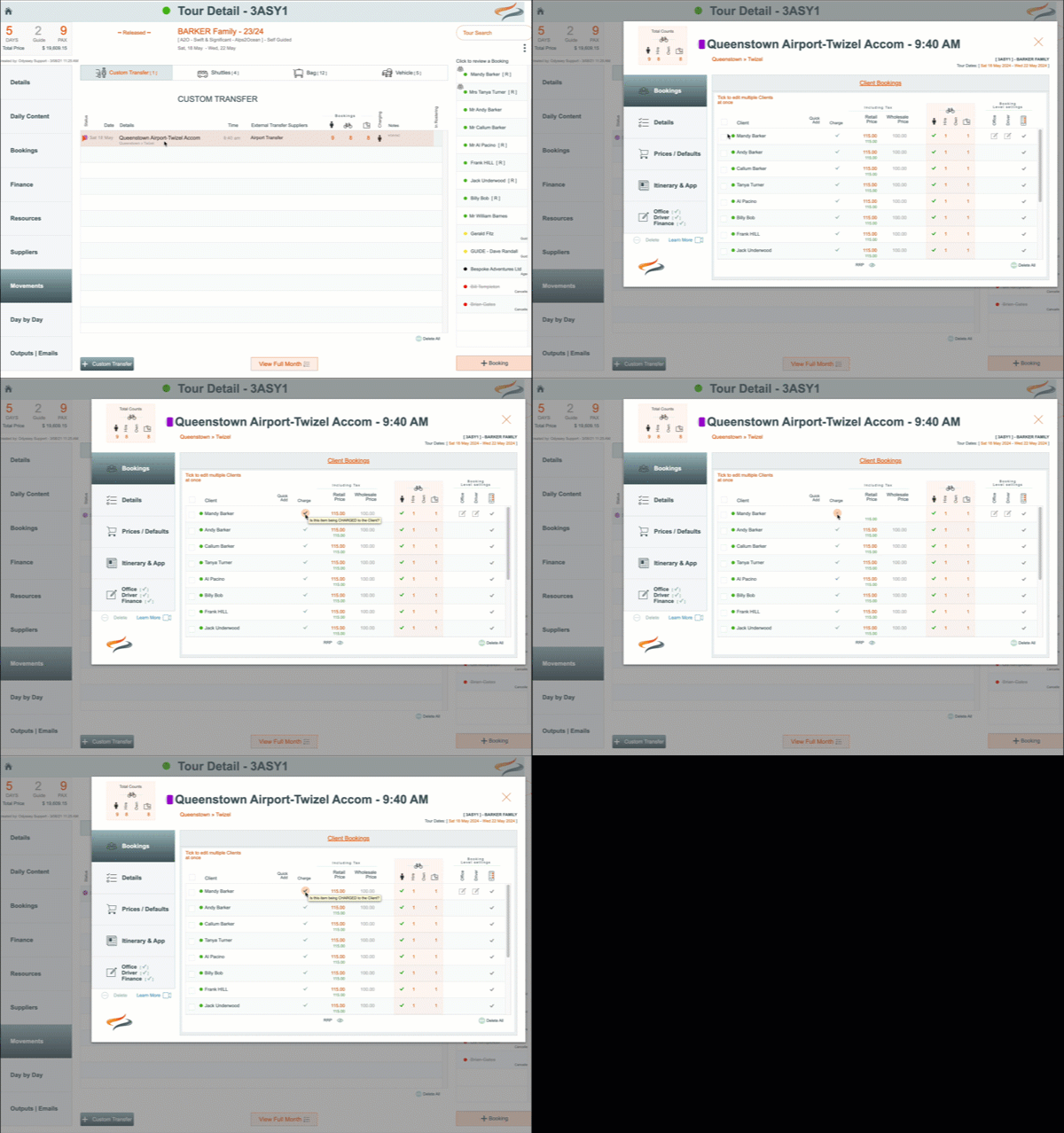
All the client booking related changes are made from the Bookings tab
To add a client booking to a Custom Shuttle movement
- On the Tour | Movement | Custom Shuttle | Bookings tab:
- click on the Add to all button to add all clients to this shuttle, or
- click the orange + to add individual bookings to this shuttle

Details
- After you have added the client booking to the custom shuttle, you will be prompted to make selections
- click on the client booking record - this takes you to the Details screen

- tick the boxes if you wish
- this client to have a passenger movement
- a hire bike movement
- an own bike movement
- and from the drop down list, select the number of bags this client might like to have moved
- Charge for this item - Tick the tickbox to charge for this item if the customer is to be charged for this shuttle movement. (a small x indicates it's not being charged to the client, a √ indicates it is. Click on the x or √ to change the setting. Hover text explains each setting)
- Self pay - Tick the tick box if this charge is intended to be self paid, not included in another payer total
- Include in Itinerary and app - tick the tick box if this movement should be shown in the Itinerary and App
- Agent Commission Calculation - If this shuttle movement cost should be included in agent commission calculations, click on the tickbox
- Click the override button if you wish to override the standard rate
Driver

- Driver Notes - enter Notes for the driver, relating to this client's booking on the custom shuttle. These notes appear on the driver manifest
Office

- Office Notes - enter any notes for the Office team; these are strictly internal notes and do not appear anywhere
Itinerary

- Click on Itinerary & App, to enter notes which should be included for this client on the Itinerary and Ody Trips app.
To Delete a custom shuttle booking for one client
- To delete the custom shuttle movement for one booking
- From the Tour | Movement | Custom Shuttle | Client's Booking record
- click the grey Delete button on their record (under Itinerary)
